It is common to create a big wall of declaration in a module such as this: Private strCompanyName As String Private dteOrderDate As Date Private lngOrderID As Long Private objEmail As Object Private objOutlook As Object While the code will compile and work fine, the discoverability and naming of the module level variables does become…
How to Migrate Data from Access to SQL Server using SSMA (SQL Server Migration Assistant)
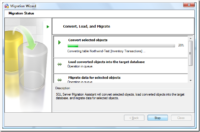
SSMA is used to migrate Access databases to SQL Server. This tool converts the Access database to an SQL Server or an SQL Azure database. It is not bundled with SQL Server – you will need to download and install this tool separately. Check your system requirements and view the installation procedure for SSMA. Preparing…
Prefer compile time errors over run time errors
In VBA, there are several features that allow us to do things that may not be checked at the compile time. In particular, it is possible to write several late-bound expressions which means that it can potentially contain run-time errors. One common misconception about late-binding is that it’s a matter of adding a reference and…
#LateBind Constant
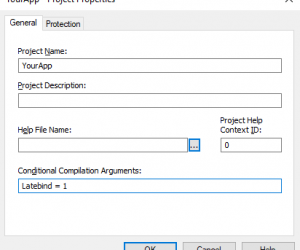
In standard code, we make use of #LateBind conditional compilation constant, which is typically defined via project’s Conditional Compilation Argument in the dialog: NOTE: The dialog can be found via Tools → <project name> Properties, which is located below the Options menu item. The menu item caption will be different as it includes the project…
Access CDate() function to SQL Server equivalent
What is the SQL Server equivalent to Access CDate() function? Access SQL CDate([Event Timestamp]) SQL Server Equivalent cast([Event Timestamp] as datetime) convert(datetime, [Event Timestamp])
Creating a Make Table Query
Before we create the Make Table Query, you might like to create a new blank database file. This is so we have a separate database into which we can paste the new table from the query. In this exercise I have called it HistoricData.accdb. Here is the procedure to create a Make Table Query: Open…
“Too Few Parameters” error fix
Symptoms Whenever you run a SQL statement you get a “Too Few Parameters, expected X.” Cause Most common cause is misspelling or missing fields in the SQL statement. Resolution Check the SQL statement. If necessary, copy and paste to an Access query and test in the query to get it to highlight which part of…
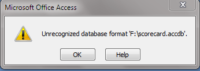
Access 2010: Unrecognized Database Format
I’ve been seeing more and more people having problems with the Unrecognized Database Format when creating or modifying an Access 2007 (accdb) format database in Access 2010 and then trying to open it again in Access 2007. The issue appears to be that Access 2010 does not have its own file format. When you add a…
Enable and Disable a Form Control using VBA
I was working on a design for an Order Management Database, and one of the tasks I dealt with involved dynamically Enabling or Disabling one of the form’s Command Buttons’ using VBA. This gave me the idea for the present Access tip. The command button was located on a Customer Details form which had an Orders…
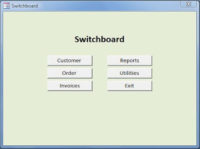
How to Display a Form Automatically when your Application Opens
This is a quick tip on how to automatically display a form when the user opens your Access Application. In addition to improving User Friendliness, your database design will also appear much more professional. The step by step instructions below will display the Switchboard form in figure 1 immediately upon the application opening. This will…